Long Course Applications
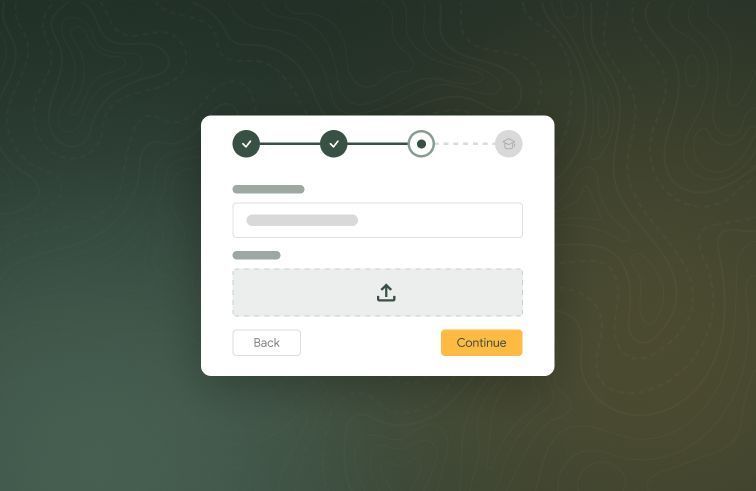
We’re rolling out new Long Course features from limited access over the next few weeks. Long courses offer better support for the complex enrolment journeys common across Certificates, Diplomas and other program-based training.
Today, we’re starting with Applications, so that you can now take applications online: applicants apply from your public enrol site and admins review, request changes, approve or reject. Alongside this release is a number of other improvements including Xero payment back-sync, support for enrolling students without an email, student survey QR codes, trainer archiving, company-specific locations, and more.
What's new
Long course applications
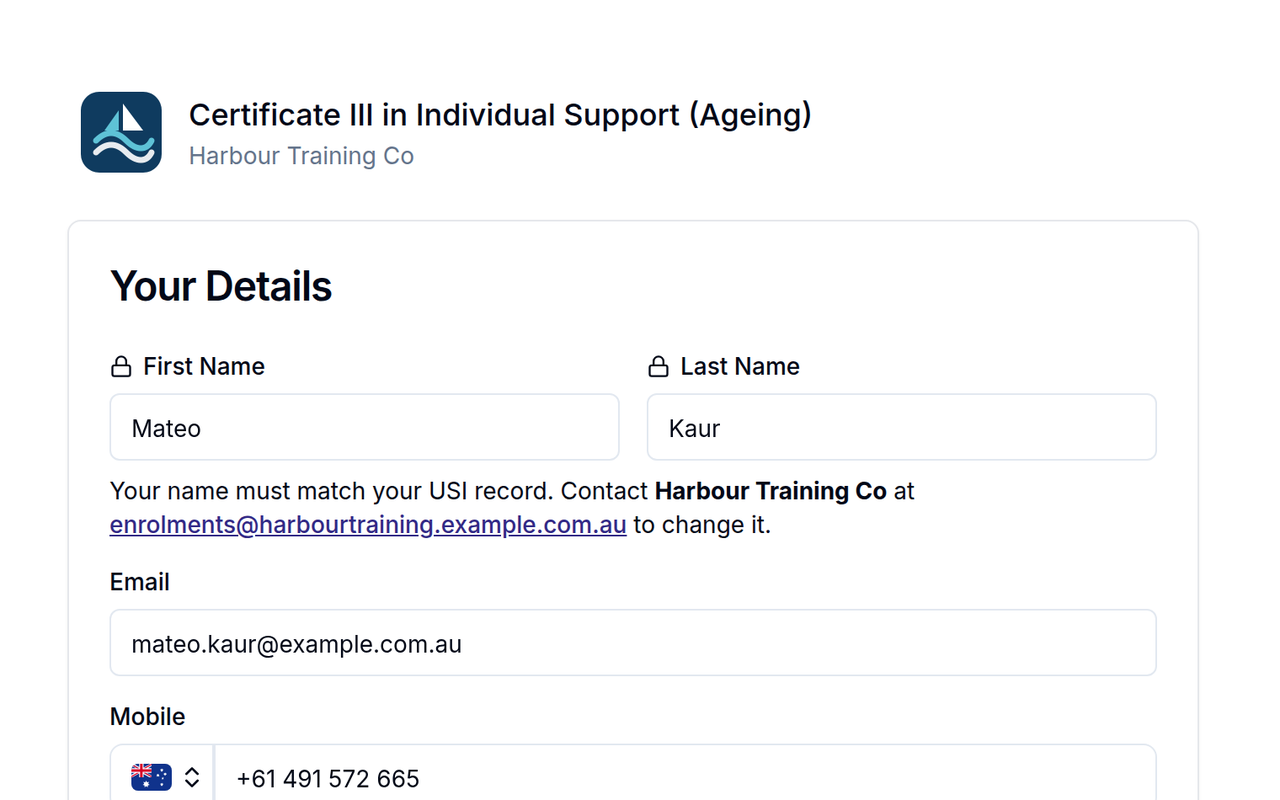
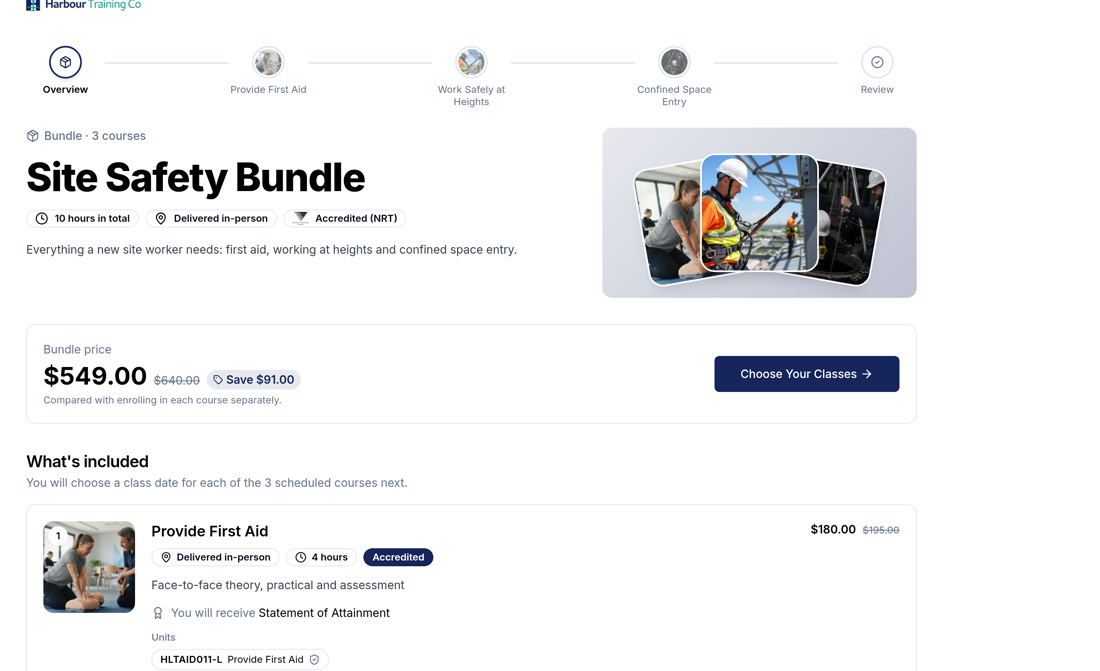
Published long courses now get their own page on the public enrol site, with course images, places left and a closing badge on each intake. Applicants enter their name and email and are emailed a link to their application.
Payment and enrolment into the cohort after approval are coming in a follow-up release.
Request changes on an application
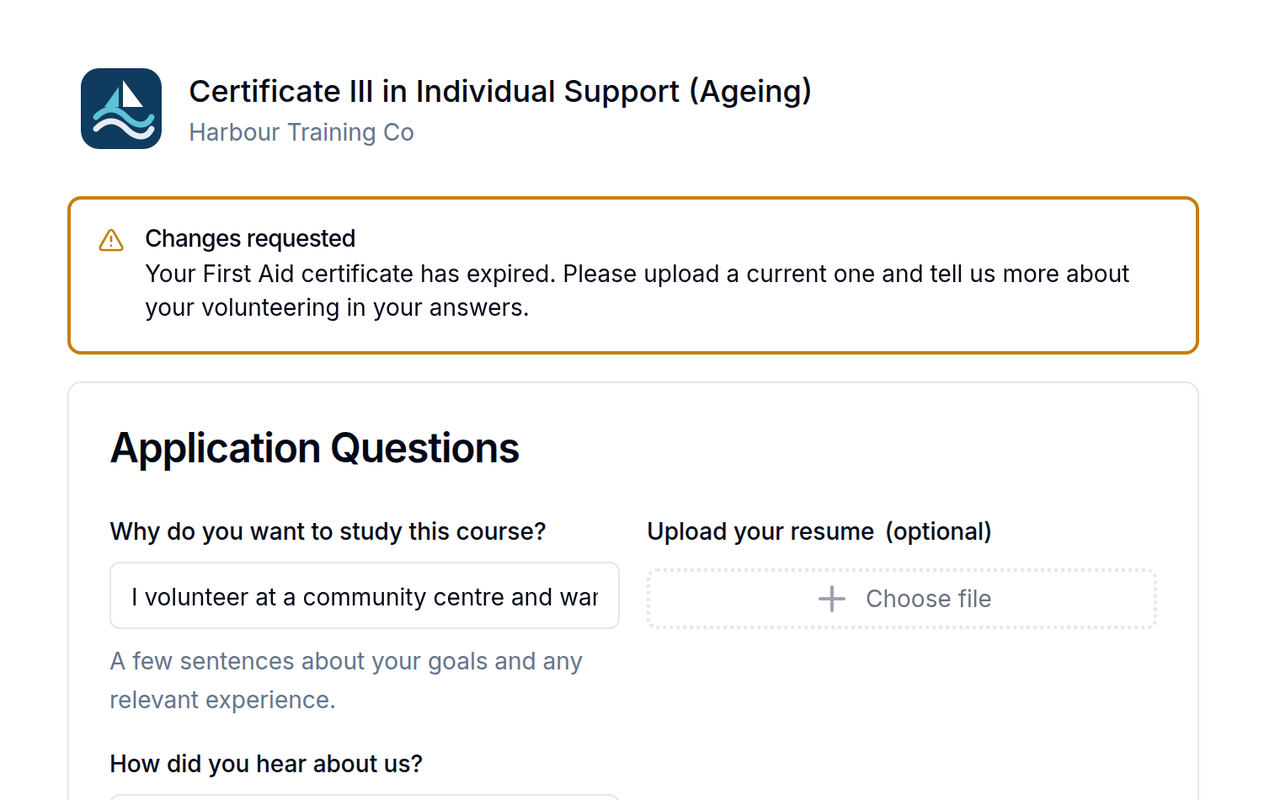
Beside Approve and Reject, admins can Request Changes on a submitted long course application. Tick the steps to reopen (Your details, Terms, Application questions, Pre-requisites) and write a message.
The applicant is emailed, revisits only those steps and resubmits. The application shows "Changes requested" in the list until they do, its history keeps every request, and a sent-back application never expires.
Payments made in Xero sync back into RTOPilot
For organisations with Xero payment sync set up, a payment applied to an RTOPilot invoice directly in Xero is now recorded against that invoice in RTOPilot, so the invoice shows as paid in both places (and any certificates waiting on payment are released).
Manual payments you record in RTOPilot (cash, EFTPOS, bank transfer) and their refunds are also sent to Xero, into your business bank account. Payments RTOPilot already sent to Xero are never imported twice. If a Xero payment can't be recorded safely, for example it's more than the balance owing, it's skipped and shown as a warning on the invoice for you to check or dismiss.
Enrol students who have no email
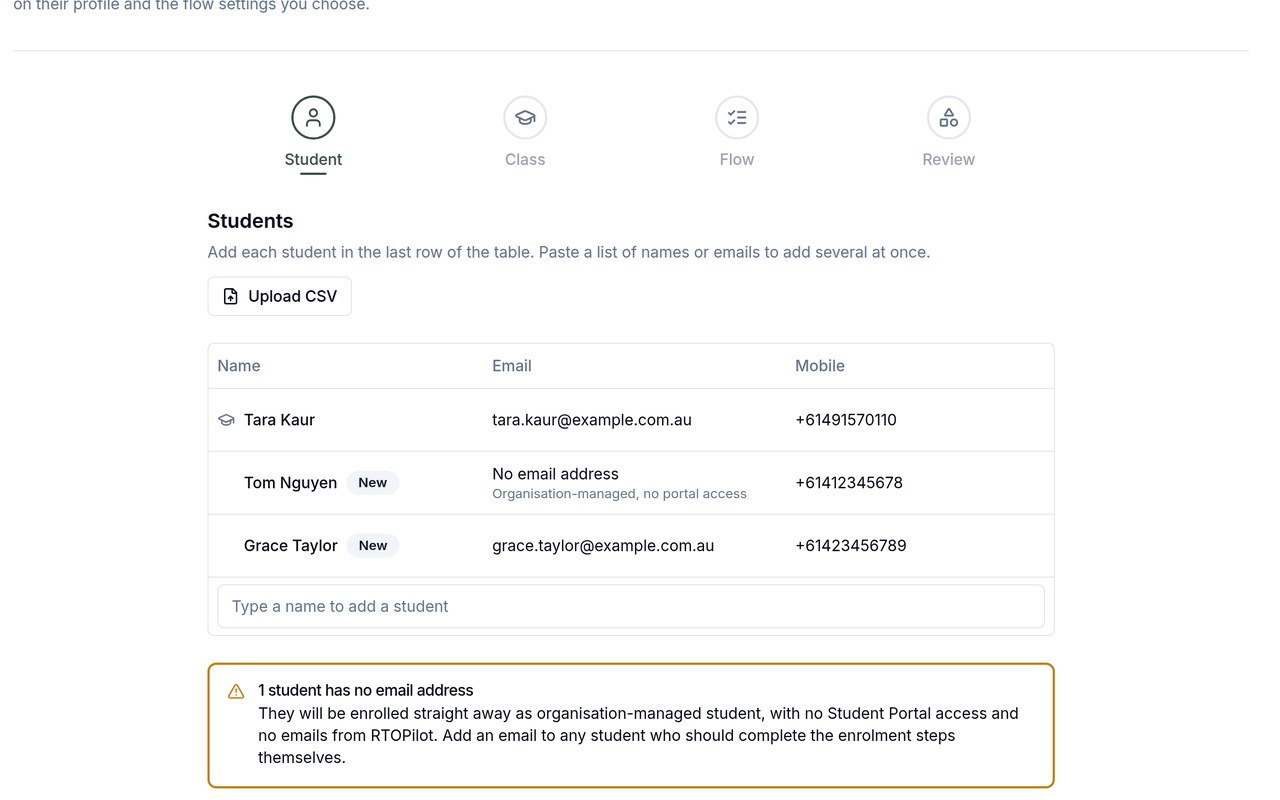
In the admin enrol wizard, email is now optional. A student added without one is enrolled straight away as an organisation-managed student: no Student Portal access, no emails from RTOPilot, and the payment is External. Students with an email in the same batch go through the enrolment steps and payment you chose. CSV upload accepts blank email cells once you confirm, and existing imported students without a confirmed email can be enrolled again without adding one.
Student survey QR code in Run Session
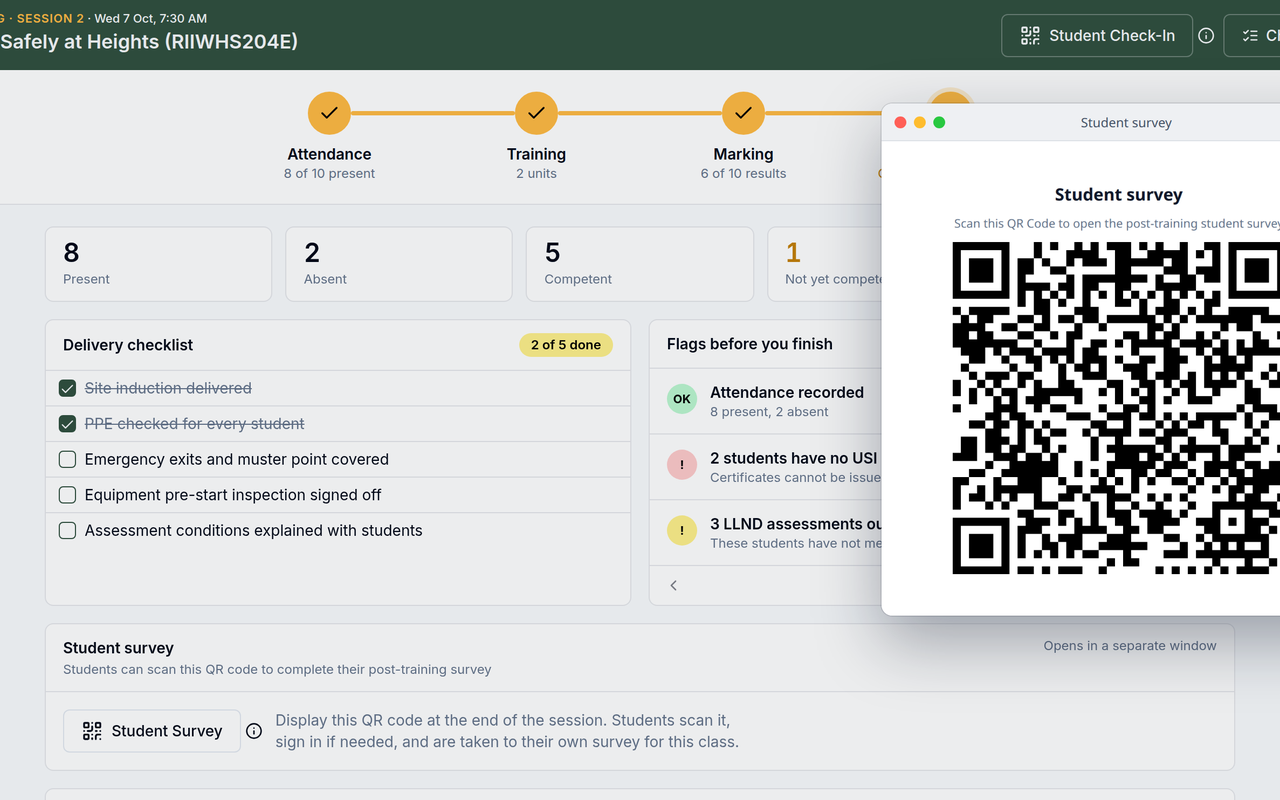
The Review step of Run Session now has a Student Survey QR code. Trainers can display the code at the end of class; students scan it and land on the post-training survey for that class.
Archive trainers
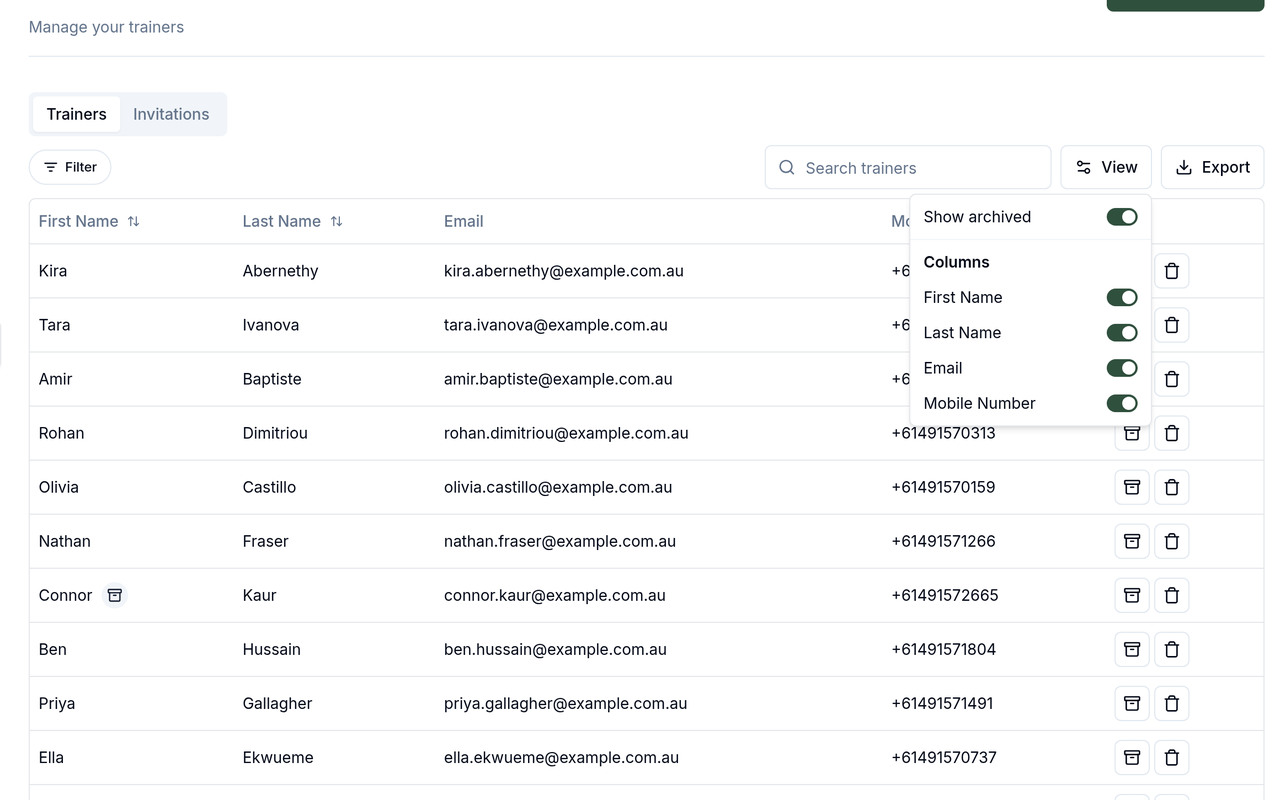
Admins can archive a trainer in their organisation. Archived trainers are hidden from the trainers list and from every assignment picker, with a Show archived toggle to see them again. Past class and session assignments stay as they were. While archived, the trainer no longer sees your organisation's classes, resources or calendar events in their trainer portal, but can still log in and work for any other RTO. Unarchiving or re-inviting them restores access.
Company-specific locations from the admin company page
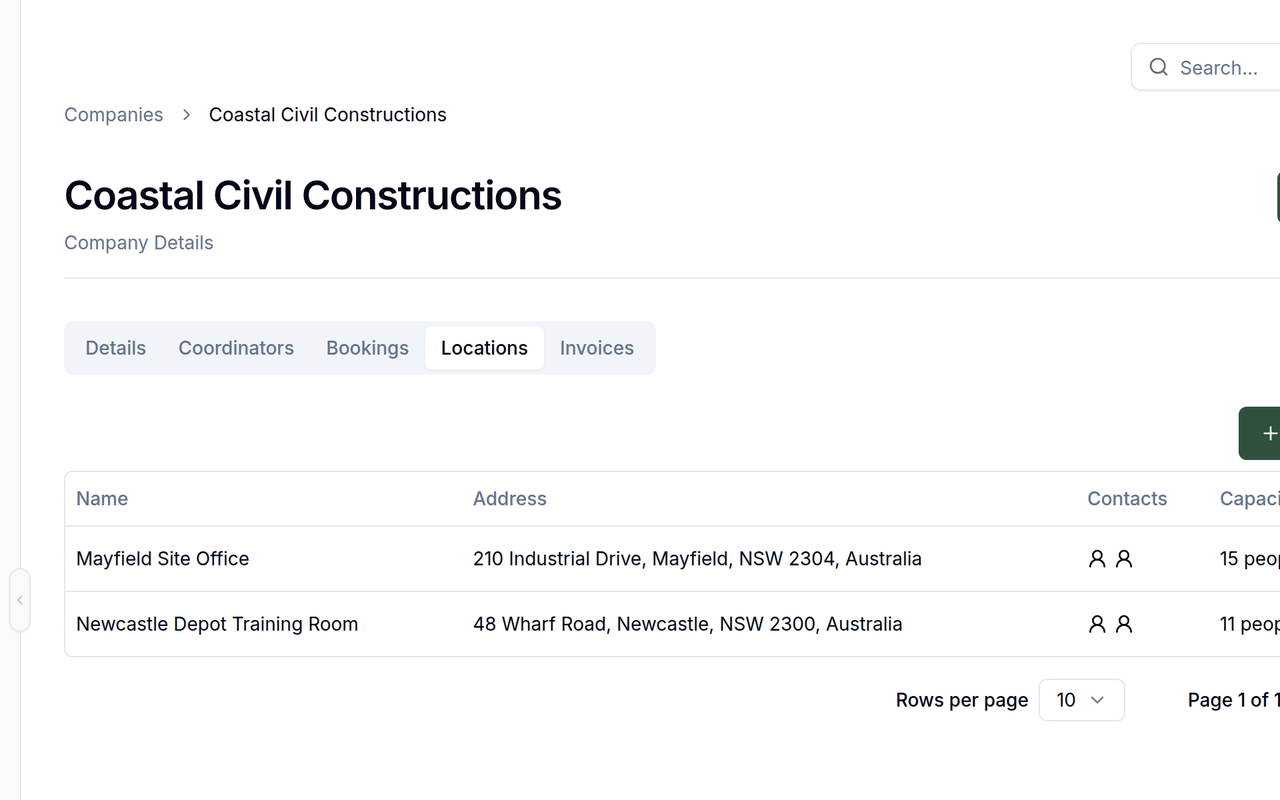
The Locations tab on a company page has a New Location button, so admins can add locations that belong to that company. Locations added by admins and by the company's coordinators are visible to both.
Enrolment QR code on admin class pages
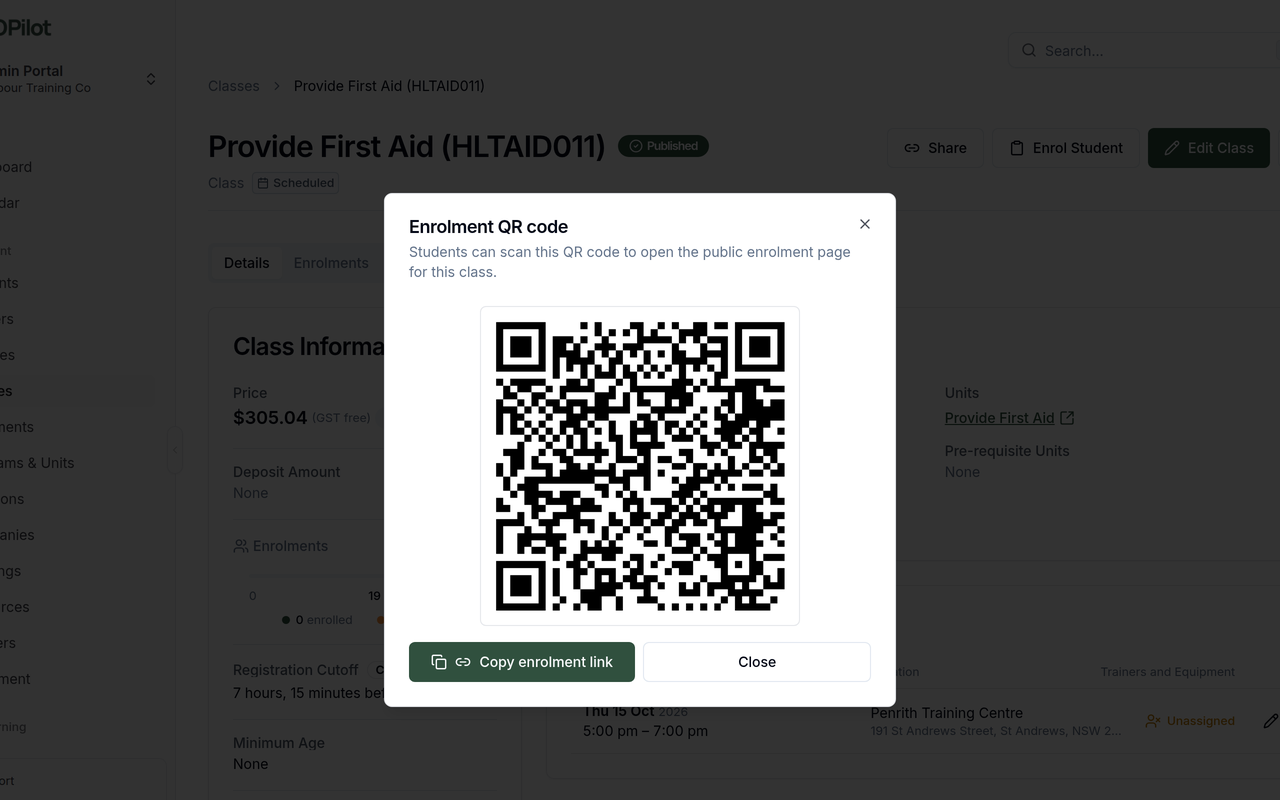
The overflow menu on an admin class page now has an Enrolment QR option. It opens a scannable QR code for the class's public enrolment link, the same link as Share, including the corporate booking when there is one.
Improvements
Invoice resend and download buttons now show on the enrolment timeline.
RTOPilot never sends email to, or allows a login with, a placeholder (@sys.rtopilot.com.au) student address.
The in-app support messenger is now available in the trainer, coordinator and student portals, not just admin.
AVETMISS export errors link the enrolment id straight to the enrolment page.
Bug fixes
Organisation logos and signatures are converted to PNG on upload, so they render on certificates.
Compliance → AVETMISS: Download, View Error, Warnings and Delete are back on each export.
Square organisation icons larger than 128×128 are resized automatically instead of blocking onboarding or theme saves.
"Pick dates" opens again in Safari when creating a class from a corporate booking.