Document Uploads, Coordinator Resources & More
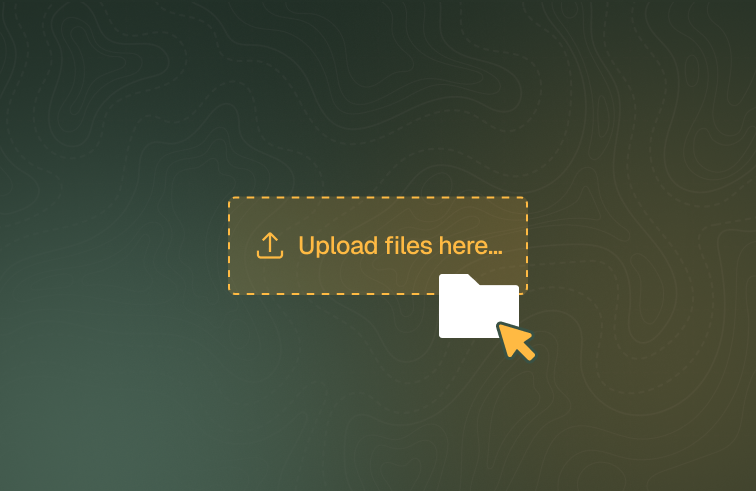
Students can now submit uploaded evidence in online learning, resources can be shared with coordinators, and student data handling improves across custom fields, USI exemptions, exports and more.
What's new
Document uploads in online learning
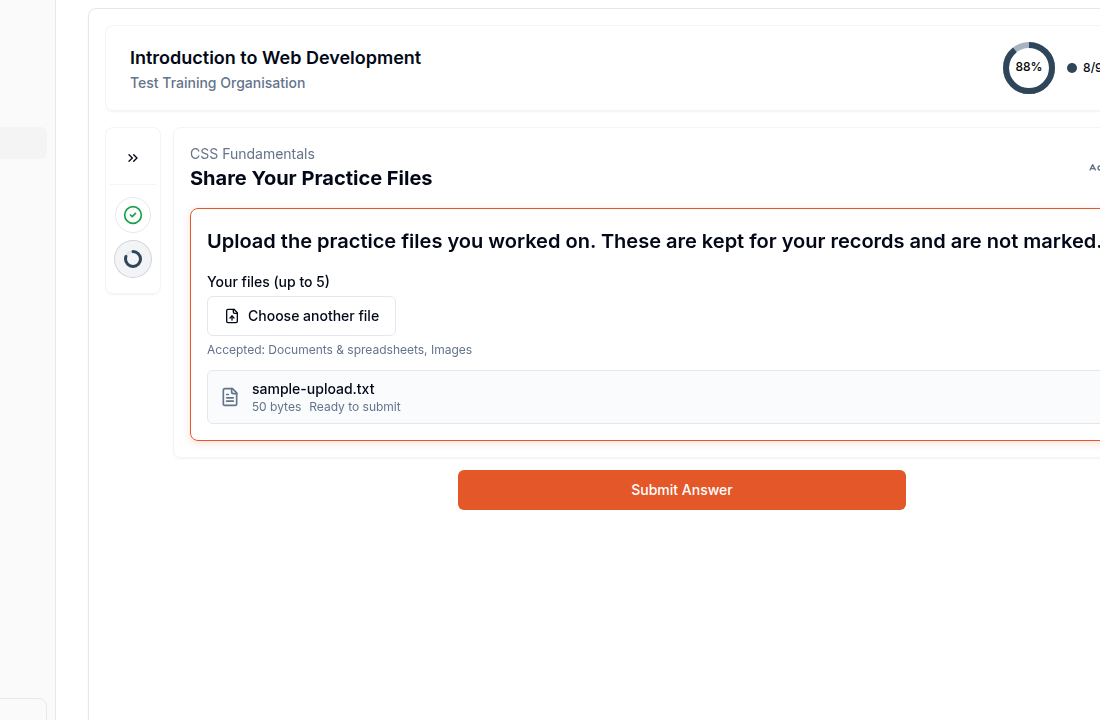
Students can now submit evidence produced outside the LMS — completed worksheets, photos, workplace videos — through a new Document Upload question type, usable inside any quiz or as a standalone activity. Submissions go through the existing manual-marking flow, with earlier attempts preserved as an evidence trail. Course authors can also attach downloadable files directly into LMS content.
Share resources with coordinators
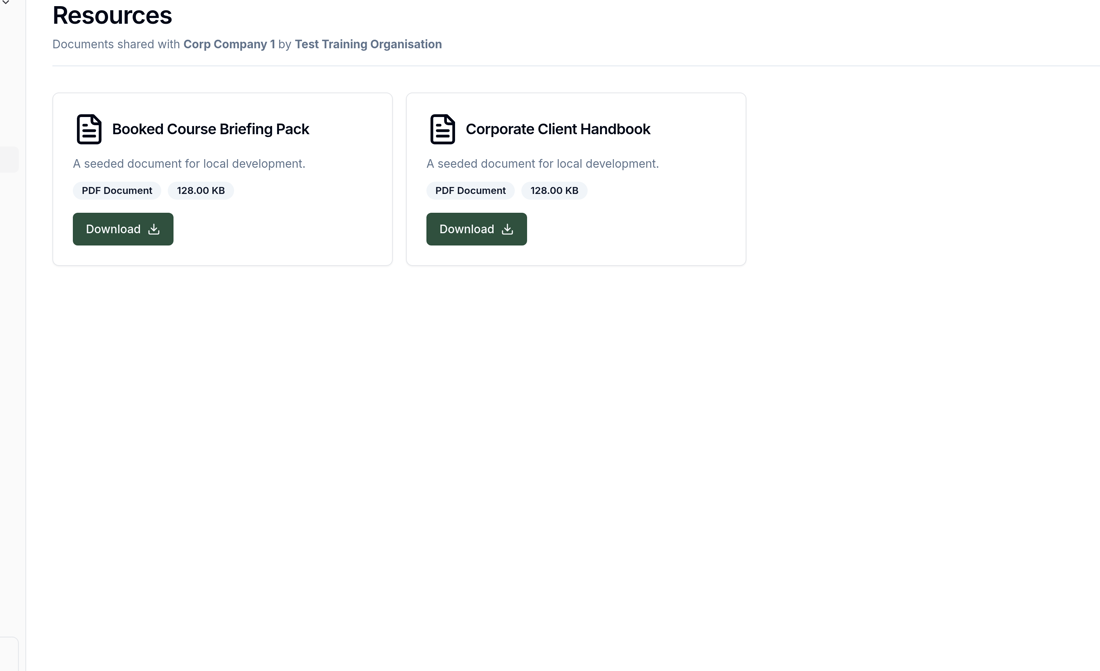
Admins can now share documents and resources with coordinators: the resource form's sharing options now include a Coordinators scope, and coordinators get a new Resources page in their portal listing the resources shared with their company, filtered to their active bookings and courses.
Improvements
Enrolment tables now show an "awaiting marking" indicator beside the online learning progress badge, so staff can see which enrolments have submitted work waiting to be marked without opening each one.
Course authors can now drag-resize images in the LMS content editor, with the chosen size carried through to what students see, and animated GIFs can be uploaded as images.
The LMS module builder now copes with long modules: activity and question lists scroll within a fixed panel, quiz questions are listed by number, type icon and a preview of their text, and changing the type of a question that already has content asks for confirmation first.
The online learning reminder email no longer tells students they have "not yet fully completed" their modules — wording that was often wrong when content is completed in class — and now points them to the student portal to check what's left.
Multiple-choice custom data fields can now allow more than one selection — tick "Allow multiple selections" when configuring the field, and the chosen options flow through to student data, certificates and exports.
Administrators can now record an Individual USI exemption on a student's page for genuine USI objectors, releasing certificates that were waiting on a USI; AVETMISS exports report the exemption code correctly.
Saved emails (.eml, .msg and .emlx files) can now be uploaded as documents on student, class and trainer file uploads.
Phone numbers entered in local format (such as 0412345678) are now accepted and saved in international format, home and work numbers are validated on student forms, and AVETMISS exports show a Warnings option listing any numbers that could not be reported.
Unit outcomes are now called Assessment Criteria throughout, and can be reordered by drag and drop.
Organisations using webhooks can subscribe to a new
student.birthdayevent, fired each morning for every student whose recorded date of birth falls on that day.Support requests sent from the app now include context about the sender — their role, organisations, and relevant class and booking details — so they can be actioned from the email alone.
Product update announcements in the admin portal now appear as a compact card in the bottom-left corner instead of a pop-up window.
Bug fixes
Images written with unquoted attributes — typically content pasted from outside the editor — no longer disappear from rendered LMS content, and typing certain rare character sequences no longer crashes the content editor.
Formatted content beginning a line with four or more spaces no longer displays as a grey code box in online learning content and descriptions.
A video that can never load (private, deleted, or with embedding disabled) now shows an accurate "This video isn't available" notice instead of a connection error with a retry button that could never succeed.
AVETMISS exports now report explicit zeros in numeric fields (such as a $0 tuition fee) instead of leaving them blank, and RPL and credit transfer outcomes now report the correct delivery mode.
Dates of birth no longer shift by a day in some timezones across forms, exports and USI checks.
Merging duplicate students now carries across LLN results and custom data entries.
Assessment criteria names can now be up to 500 characters — the field previously stopped accepting input at 150, too short for real performance criteria text.
The Units page explainer no longer spills outside its box at mid-sized window widths, and the drag handle for reordering assessment criteria is now a clear tab on the left of each criterion card.
Errors returned by the USI Registry are now always reported with their actual cause, instead of occasionally surfacing as a generic system error.
Settings links across the app — including the onboarding checklist's "Authorise USI verification" link — now open the correct settings tab instead of landing on the general settings page.
Coordinators with many companies can now scroll the company selector properly.
Organisation logos in RTOPilot emails no longer render oversized in Outlook.
An already-open tab no longer shows an unrecoverable error just after an update is released — the app now reloads itself once to pick up the new version.